Summative Deeper Dive Inquiry – Unity
What began as an inquiry into how games are made turned into a deep dive into physics, C# scripting, and 3D design. Over the last few months, I’ve moved from a blank screen to a functional 2D platformer game and a 3D level design. Here is the summary of my learning process and my advice for anyone starting this journey.
2D Unity:
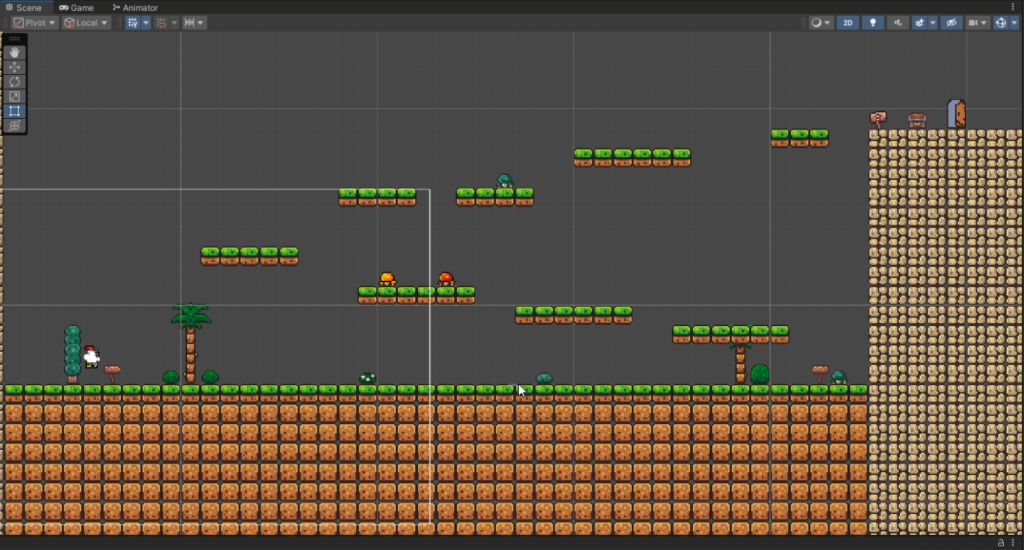
My project started in the 2D realm, where I learned that game feel is a mathematical problem.
- Minor errors, Huge problems: There were many moments where I thought I’d cleared all the bugs, only to find another. For example, after finishing the basic player movement, I realized I hadn’t implemented a ground check to see if the player was touching the ground before allowing them to jump. This allowed the player to jump infinitely in mid-air. The takeaway was there’s always edge cases which you need to think about solving before starting on the solution.
- Efficiency via Tilemaps: One of my biggest takeaways was using Tilemap Colliders. Instead of managing hundreds of individual blocks, I learned to paint my world and let Unity handle the optimization.
- The Moving Platform Puzzle: This was my first real challenge in parenting logic, learning how to make the player a child of the platform’s transform so they wouldn’t slide off during movement.
3D Unity:
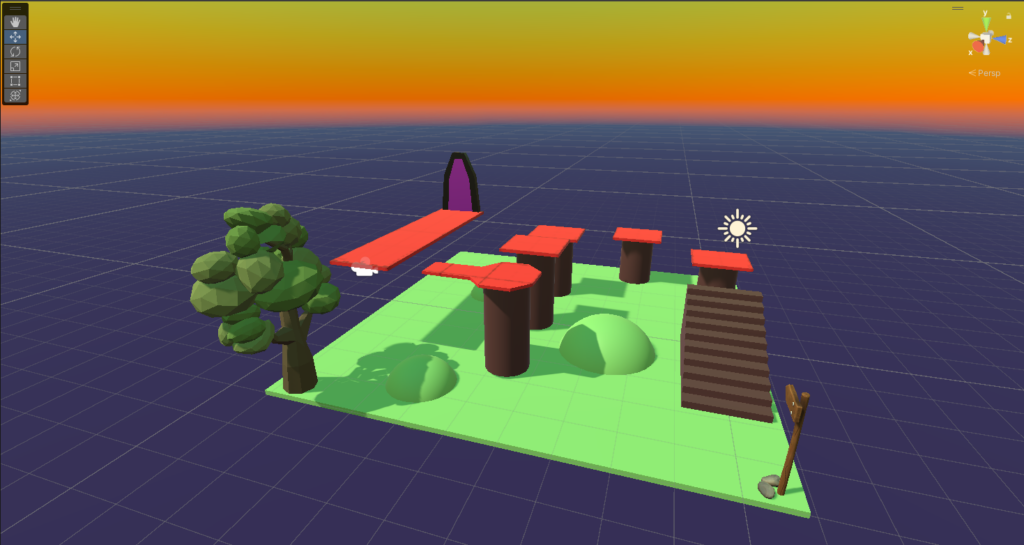
Adding a third axis to the mix completely changed my perspective, literally. Suddenly, I had to account for depth, complex lighting, and shadows. For the 3D portion of my inquiry, I focused solely on Environmental Design, where I learned several key concepts:
- Spatial Proportions: I learned how to use 3D primitives cubes, cylinders, and planes as well as some tools such as “pro builder” and the unity asset store objects and materials.
- Material Shaders: I explored the Unity Material system messing with the color of objects as well as how reflective they are.
- Lighting and Visibility: I experimented with Directional Lighting to create shadows, which I discovered are a vital accessibility tool in 3D platforming to help players judge their landing position.
Takeaways from both 2D and 3D:
- The Power of the Unity Asset Store: One of my biggest realizations was that I didn’t have to build every single thing from scratch. The Asset Store is an incredible repository of resources (a lot of free ones too). I utilized it for my 2D environment tiles and for more complex primitive shapes in my 3D level.
- Documentation Literacy: I learned that high-quality assets almost always come with their own documentation. Learning to navigate these “readme” files and technical guides was a skill in itself, helping me integrate external resources into my own project hierarchy without breaking my existing scripts.
- Scale and Proportion: Working in both dimensions taught me that scale is relative. A jump that feels perfect in a 2D side-scroller can feel claustrophobic or impossible in a 3D environment. This taught me to always test my player metrics (jump height vs. platform distance) early in the design process.
- LTS Version: One of my first decisions was to develop using a Long Term Support (LTS) version of Unity. I learned that in professional development, which meant there are lots of documentation and help from others that use Unity, if I ran into a bug, there was always some information that I could use to find a solution.
- Videos: Using YouTube tutorial videos was a major help this entire semester because I got to see a game being built in action, however its good to learn from the video and not copy it, there is a big difference in what you takeaway at the end of the day.